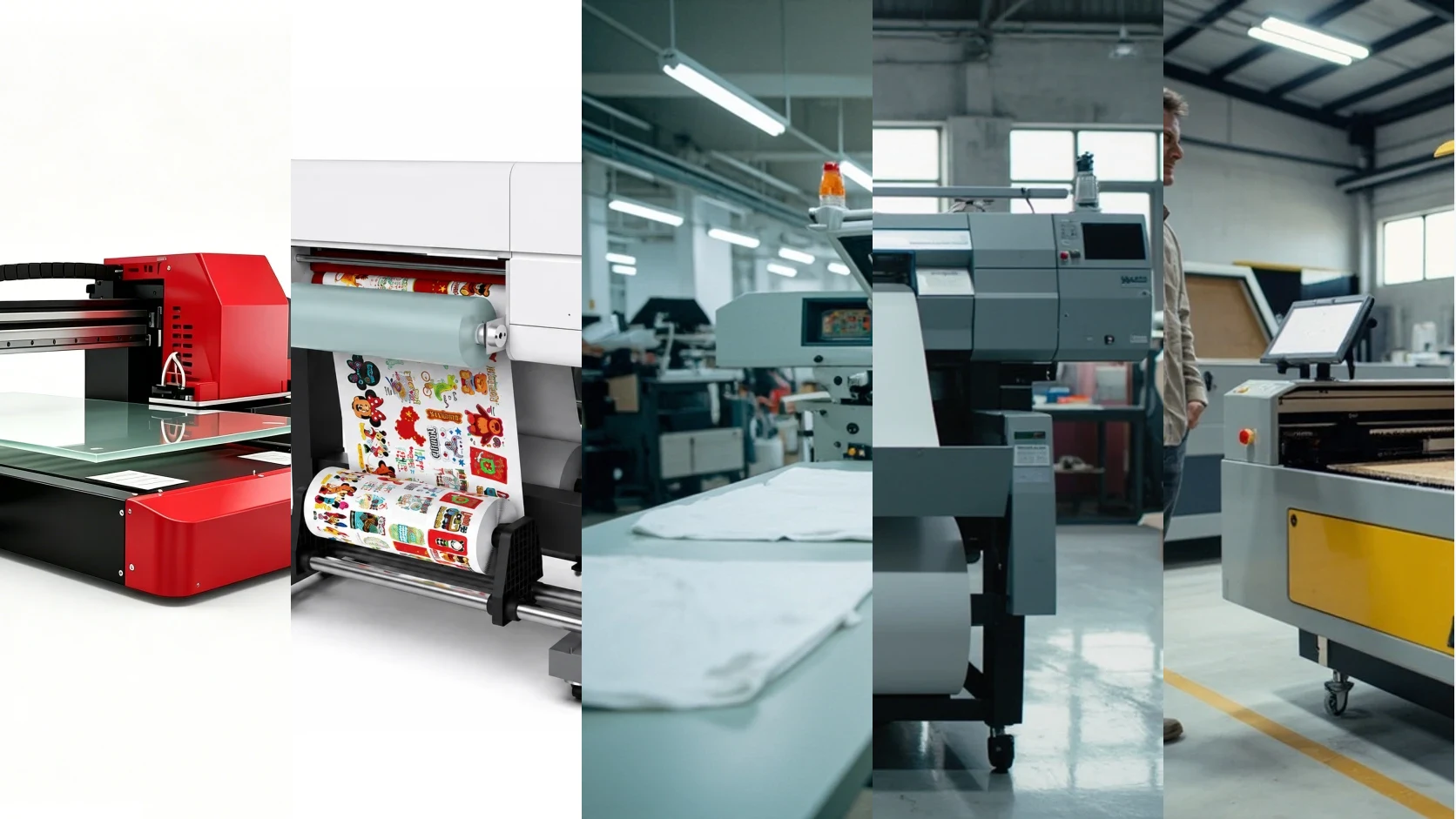
In 2026 the buyer of custom-print equipment has more choice — and more confusion — than at any point in the last 20 years. UV flatbed, UV DTF transfer, screen printing, water-based and solvent inkjet, and laser engraving / CNC routing all claim to solve the same customer problems. None of them is universally best. Each one wins on a specific combination of substrate, order size, color requirement and tactile effect.
This guide compares the five processes across the dimensions that actually drive purchase decisions. It uses industry-reference data, not YOWILL-specific case studies; verify any specific number with your equipment and ink supplier against your own application tests.
Process comparison reference. The right side is an AI-generated composite showing five production environments. Actual machine, ink and substrate costs vary by configuration.
Process 1: UV Flatbed Printing
Mechanics. A UV LED-cured inkjet prints directly onto a flat (or slightly curved) substrate sitting on a vacuum or pin bed. CMYK plus white plus varnish is the standard 6-channel configuration. UV light cures each pass instantly, so the substrate does not need to absorb the ink.
Substrate range. Anything flat or gently curved that fits the bed — acrylic, wood, metal, glass, ceramic tile, PVC, leather, paperboard, phone cases, panels up to 2.5×1.3m on industrial flatbeds.
Strengths.
- MOQ 1, no plate fee
- Photo-quality, gradients and small text
- White ink + varnish for dimensional and protective effects
- Switches substrate in minutes
Weaknesses.
- Per-piece cost is largely insensitive to quantity; large runs lose to screen printing
- Strictly flat or gentle curve; deep cylinders need a rotary add-on
- UV ink can yellow or peel under extreme heat or harsh solvents
- Equipment and ink cost higher than inkjet
Best fit. Small-batch custom gifts, prototypes, on-demand signage, samples, mixed-substrate print shops.
Process 2: UV DTF (UV Direct-to-Film)
Mechanics. Print CMYK + white + varnish onto a release film (A film), laminate with an adhesive film (B film), then press the laminate onto the substrate and peel away A film. The artwork — including the dimensional varnish layer — transfers to the surface.
Substrate range. Hard, smooth, non-porous: ceramic, glass, metal, acrylic, plastic, finished wood, leather, cosmetic packaging. Curved and irregular surfaces work as long as B film can conform.
Strengths.
- MOQ 1, no plate fee
- Genuine dimensional/embossed finish (the “crystal label” look)
- Works on curved and irregular surfaces where UV flatbed struggles
- No surface pretreatment needed on most substrates
Weaknesses.
- AB film consumable cost (USD 0.7-2 per sheet depending on size)
- Per-piece cost is largely insensitive to quantity; large runs lose to screen printing
- Edge lifting possible if transfer pressure or adhesive formulation is wrong
- Less chemical-resistant than cured screen ink
Best fit. Premium small-batch gift labels, cosmetic/personal-care packaging, curved drinkware, custom phone cases, branded merchandise for events.
Process 3: Screen Printing
Mechanics. Analog plate-making: photosensitive emulsion is exposed on a mesh screen (one per color), ink is pushed through the screen onto the substrate, then cured. Multi-color designs need multiple screens layered with precise registration.
Substrate range. Paper, plastic film, glass, metal, fabric, leather, flat rigid — but each substrate needs its own matched ink chemistry.
Strengths.
- Lowest per-piece cost at high volume
- Spot color matched to Pantone with high accuracy
- Thick ink layer gives rich solid coverage
- Cured ink is durable and chemical-resistant
Weaknesses.
- Plate fee per color (USD 7-30 per screen) requires minimum run to amortize
- Setup labor between runs slows small-batch delivery
- Gradients and photo realism are weak
- One design = one set of screens; personalization requires a new screen or a hybrid workflow
Best fit. 500+ piece spot-color labels, apparel, packaging, industrial markings, anything where Pantone accuracy and durability matter more than MOQ.
Process 4: Inkjet Printing (Water-Based / Dye / Pigment / Solvent / Eco-Solvent / Latex)
Mechanics. Liquid ink is jetted onto a substrate and either absorbed (water-based on paper) or dried/cured (solvent on vinyl). Wide-format printers handle rolls up to 3.2m or 5m.
Substrate range. Paper, photo paper, vinyl, banner material, fabric (with pretreatment), film, canvas. Mostly flexible media; rigid substrates need a separate flatbed inkjet.
Strengths.
- Lowest equipment entry cost
- Excellent photo quality at large sizes
- Outdoor durability on solvent/eco-solvent/latex inks with proper lamination
- Mature, well-understood RIP workflows
Weaknesses.
- Cannot print directly on most rigid materials (need print-then-mount)
- Water-based inks fade quickly without lamination
- Solvent inks require ventilation; eco-solvent and latex are friendlier
- Latex ink hardware cost is high
Best fit. Posters, banners, vehicle wraps, window graphics, paper prints, photo merchandise, indoor and outdoor signage on flexible media.
Process 5: Laser Engraving / CNC Routing
Mechanics. A focused laser (CO₂ for non-metal, fiber for metal) or a rotating bit removes material to create a permanent tactile mark or cut path. This is a subtractive process, not an additive one.
Substrate range. Wood, plywood, MDF, leather, paper, acrylic, glass, anodized aluminum, coated metals, stone. Plastics vary — many emit hazardous fumes and should be avoided.
Strengths.
- Permanent tactile depth — looks and feels different from ink
- No ink consumable; only electricity and assist gas
- Vector cutting + engraving in one pass
- Works on items where ink would rub off
Weaknesses.
- Monochrome only (the substrate color shows through)
- Cannot reproduce full-color photography
- Fire and fume risk on some plastics; needs ventilation
- Slower than UV for large filled areas
- CO₂ lasers cannot mark bare metal; fiber lasers needed for that
Best fit. Personalized wood/leather goods, industrial part marking, signage with depth, awards and trophies, custom cutting of acrylic and plywood.
Side-by-Side Comparison
The table is industry-reference; per-piece costs vary by region, ink/film price, and labor rate. The decision dimensions below it matter more than any single number.
| Dimension | UV Flatbed | UV DTF | Screen | Inkjet (solvent/eco) | Laser/CNC |
|---|---|---|---|---|---|
| Substrate | Flat rigid, gentle curve | Hard, smooth, curved | Flat rigid, fabric, paper | Flexible media, paper | Wood, leather, metal, acrylic |
| MOQ | 1 | 1 | 50–500 typical | 1 | 1 |
| Plate/setup fee | None | None | USD 7-30/screen | None | None (vector prep) |
| Per-piece cost trend | Flat across quantities | Flat across quantities | Drops sharply after break-even | Flat to mildly dropping | Flat across quantities |
| Color | Full photo + spot | Full photo + spot | Spot (Pantone match) | Full photo + spot | Monochrome (substrate color) |
| Tactile finish | Optional varnish layer | Yes — dimensional | Thick ink layer | None | Recessed or raised depth |
| Outdoor durability | 2–5 years with quality ink | 2–5 years, depends on adhesive | 5+ years with UV ink | 3–7 years with laminate | Permanent |
| Learning curve | Moderate | Moderate-to-high | High (separate craft) | Low-to-moderate | Steep safety, short operation |
| Best order size | 1–500 pieces | 1–500 pieces | 500+ pieces | 1–unlimited | 1–500 pieces |
Decision Framework
By substrate.
- Flat rigid and gentle curve → UV flatbed
- Hard, smooth, curved or irregular → UV DTF
- Paper/vinyl/fabric → screen or inkjet
- Wood/leather/metal/acrylic with depth → laser/CNC
By order size.
- 1–50 pieces → UV flatbed or UV DTF
- 50–500 pieces → still UV flatbed or UV DTF, depending on finish requirements
- 500–1000 pieces → cross-over zone; run the cost math
- 1000+ pieces → screen printing wins on per-piece cost
By color and tactile need.
- Full-color photo or gradient → UV flatbed or UV DTF
- Spot color matched to Pantone → screen printing
- Permanent depth or cut → laser/CNC
- Large flexible banner → inkjet
By customer demand pattern.
- Personalization, names, photos, single-piece orders → UV flatbed or UV DTF
- Branded merchandise runs of hundreds → screen printing (or screen + UV hybrid)
- Photo wallpaper, banners, vehicle wraps → inkjet
- Premium tactile gifts → laser engraving with optional UV color fill
Hybrid Workflows (The Real Answer for Most Shops)
The mature print shops in 2026 rarely run one process. The most common combinations:
- UV flatbed + UV DTF. Covers 90% of small-batch gift and label orders; the flatbed for flat panels and signage, the DTF line for curved and dimensional finishes.
- UV flatbed + screen printing. Flatbed handles samples and short runs; screen takes over once an order crosses 300-500 pieces.
- Laser + UV flatbed. Laser for engraved wood/leather/acrylic, UV flatbed for color fill, photo panels and full-color overlays.
- Inkjet + UV flatbed. Inkjet on vinyl/banner for outdoor signage; UV flatbed for rigid indoor signage.
Pick the dominant process by order structure, keep one or two complementary processes available, and route orders to whichever process actually serves the customer’s outcome. The single-process shop is usually one job away from telling a customer no.
FAQ
Which is cheapest per piece at 100 units? UV flatbed or UV DTF under 200 pieces. Above 500, screen printing pulls ahead on simple spot-color designs.
Can UV DTF fully replace screen printing? No. They divide the workload. Screen still wins for 1000+ piece spot-color runs and harsh industrial environments.
What can laser do that UV cannot? Permanent tactile depth on wood, leather, anodized metal and acrylic. UV is full color but flat or with a varnish layer; laser is monochrome but recessed or raised.
Which is easiest for a new shop owner? Inkjet on vinyl/print-and-cut workflows. UV flatbed has moderate hardware and color management learning; UV DTF adds the transfer step; screen is a separate craft; laser has a safety curve but a short operation curve.
Outdoor lifespan of UV-printed signs? 2-5 years with quality ink and a varnish overcoat. Request accelerated weathering data from your ink supplier for your specific climate.
The five processes are not in competition — they are a toolset. A US gift customization or signage shop that runs UV flatbed + UV DTF + occasional laser can accept almost any small-batch job; one that adds screen printing for runs above 500 pieces is rarely forced to decline an order on cost grounds.
For UV flatbed and UV DTF equipment selection, see the YOWILL F2030 / F3360 (small-batch gift), F5060 / F6040 / F6090 (gift + signage), and UDTF-320 / UDTF-620 (UV DTF) model pages. Contact YOWILL sales for configuration and pricing against your specific substrate and order mix.
Frequently Asked Questions
Which process is the cheapest for 100 custom phone cases?
Below 100 pieces, UV flatbed is the cheapest end-to-end option. Screen printing plate fees alone typically run USD 7-30 per color and need a minimum run to amortize, so they rarely beat UV flatbed under 200 pieces. UV DTF is competitive when the design needs dimensional depth or the surface is curved, but the AB film adds USD 0.7-2 per sheet.
Can UV DTF replace screen printing completely?
No. The two processes divide the workload. Screen printing still wins on spot color accuracy, large batches over 1000 pieces, and industrial environments with solvents or heat. UV DTF wins on dimensional finish, curved/irregular substrates, and small-batch personalization. Most professional print shops run both.
What can a laser engraver do that a UV printer can't?
Laser engraving creates permanent tactile depth (recessed or raised marks) on wood, leather, anodized aluminum, glass and acrylic, which ink-based processes cannot replicate. Engraving is typically monochrome. For full-color photo reproduction, a UV printer is the only option of the five.
Which process has the lowest learning curve for a first-time shop owner?
Inkjet (solvent or eco-solvent) on vinyl/cut vinyl workflows has the gentlest curve and lowest equipment cost. UV flatbed is moderate — color management, head maintenance, and substrate prep take weeks to internalize. UV DTF is moderate-to-high because of the film-to-substrate transfer step. Screen printing plate-making is a separate craft. Laser engraving has a steep safety curve (ventilation, fire risk) but otherwise a short operational curve.
What's the realistic outdoor lifespan of UV-printed signage?
Quality UV-printed signs with proper ink and a varnish overcoat typically last 2-5 years outdoors depending on UV intensity, climate and ink formulation. Solvent/eco-solvent inkjet on vinyl with laminate can match or beat UV on long-term outdoor durability. Screen printing with UV-resistant inks can reach 5+ years. Always request accelerated weathering data from your ink or equipment supplier.
Can I use one printer for both gifts and signage?
Yes. A 600×400mm to 600×900mm UV flatbed (with white ink and varnish) covers roughly 80% of small-batch gift orders and 60% of indoor signage. For curved gifts or exterior signage above 1m width, you would add a UV DTF line or a separate wide-format flatbed. Single-process shops are usually one job away from saying no to a customer.
5 steps to pick the right process for a new order
- List the substrate (paper/vinyl/flat rigid/curved/metal/wood/glass) and the largest dimension
- List the average order size and the largest single run from your last 3 months
- Identify color needs: photo/gradient vs spot color vs monochrome tactile
- Compare total cost (plate + setup + consumable + labor) at your typical order size, not at theoretical MOQ
- Pick the dominant process by order structure; keep the other processes as complements for the orders your dominant process cannot serve
Share this article