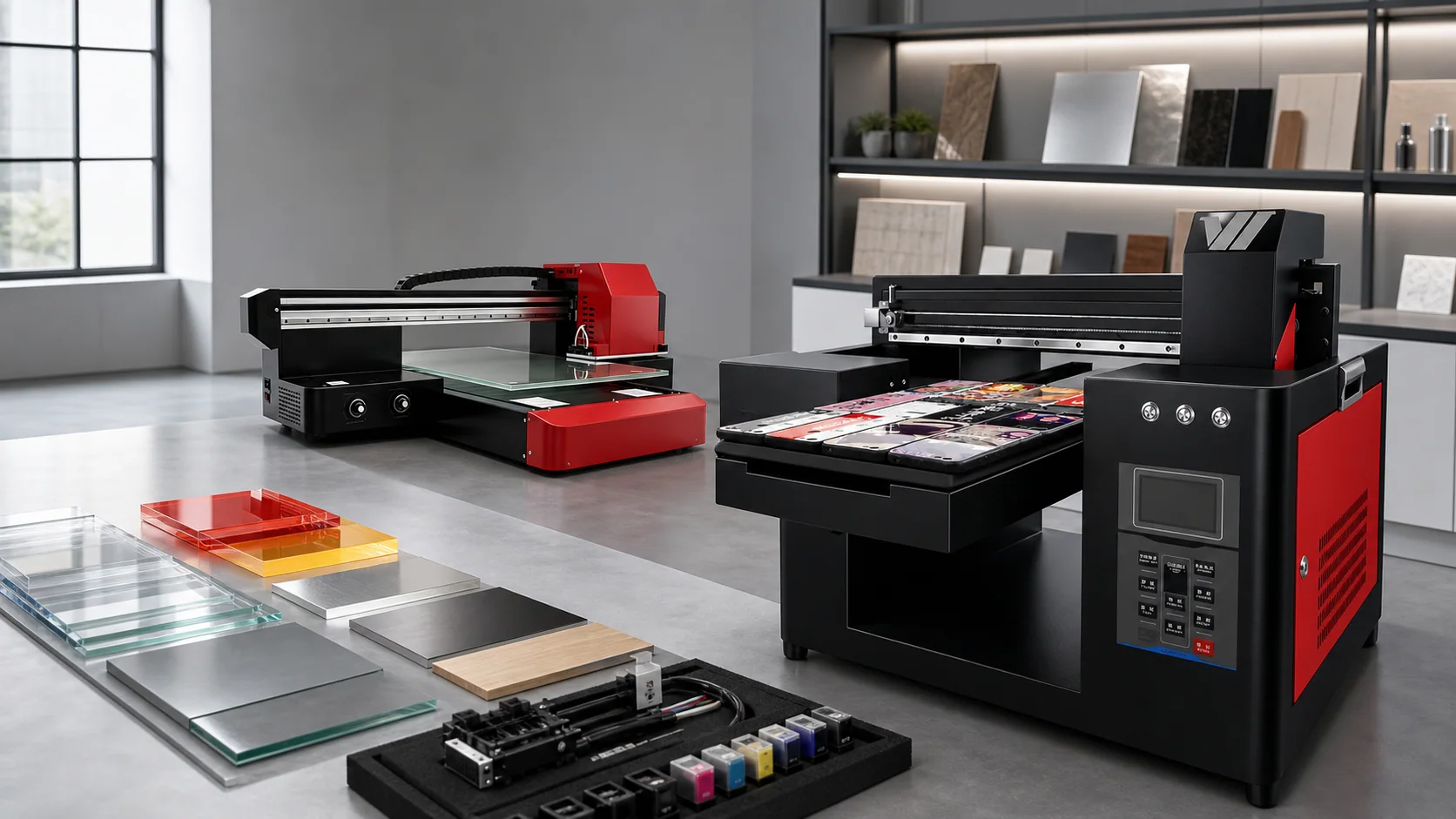
The UV printing market is experiencing significant growth in 2026. According to industry data, the global UV printer market reached USD 1.02 billion in 2025 and is projected to grow to USD 1.58 billion by 2031, at a compound annual growth rate (CAGR) of approximately 7.59%. The core growth drivers are the explosion in personalized consumer demand, the maturation of UV LED curing technology, and the rapid adoption of new processes like UV DTF.
But for buyers, this means more brands, more models, and more confusing specifications on the market. Choosing the wrong equipment is not just a waste of money — it is a waste of time window and opportunity cost. This guide helps you build a selection framework from four core dimensions.
1. How to Choose a UV Printer: Print Size or Printhead First?
First law of printer selection: Decide what you are going to sell first, then decide which machine to buy.
A4 Desktop (210 x 300mm)
Best for: Phone cases, keychains, lighters, pens, small ornaments, and other miniature item customization. Typical use cases: On-site gift shop printing, phone accessory stores, creative market booths. Reference model: YOWILL A4 UV (YW-A4UV-5), weighing only 15kg and taking up less space than half an A4 sheet.
The advantage of these machines is an extremely low entry barrier — equipment investment is in the thousands of yuan range, it fits on a desk, and it can even go in a car trunk for mobile printing services. The downside is limited print area, making large orders impossible. If your business model is “customers walk in, print on the spot and take it home,” an A4 desktop unit is the lowest-risk starting point.
A3 / Small Format (320 x 420mm to 330 x 600mm)
Best for: Small signs, badges, medals, phone case batches, small electronic panels. Typical use cases: Startup print studios, advertising shop auxiliary equipment, corporate prototyping departments. Reference models: YOWILL A3 UV (YW-RA3UV-5), YOWILL 3360UV.
This tier offers the best price-to-performance ratio. The print area covers most personalized customization needs, equipment pricing is moderate, and the payback period is short. The 3360 model supports a 1-10cm print height, offering significantly more flexibility than the A3 5cm height limit, allowing printing on thicker objects.
Mid-Format (600 x 400mm to 600 x 900mm)
Best for: Acrylic signage, metal nameplates, mid-size industrial panels, bulk custom orders. Typical use cases: Professional advertising production companies, sign and label factories, custom gift manufacturers. Reference models: YOWILL 6040UV, 6090UV.
Mid-format machines represent the starting point of production-grade equipment. Print speed and ink configuration both step up a level, supporting full CMYK+White+Varnish setups for advanced techniques like white ink underbasing and spot varnish. If your business has moved past the “trial” phase and you have steady order volumes, a mid-format machine is the most worthwhile direction to consider.
Industrial (2.5m and above)
Best for: Large-format advertising graphics, industrial batch printing, wall murals. Typical use cases: Ad processing plants, building material printing, decoration engineering companies. Reference models: YOWILL 2513UV, wall mural printer.
This level of equipment requires dedicated space and operators. The investment is large, but the revenue ceiling is also high. Wall mural printers are an interesting niche — printing murals directly onto walls, with 2.5m height and unlimited width, improving construction efficiency by approximately 60% compared to traditional hand-painting.
2. How to Choose a UV Printhead: Detail, Output or Maintenance?
The printhead is the most critical component of a UV printer, directly determining precision, speed, and stability. There are five mainstream printhead options on the market today — the Epson TX800 that YOWILL standardizes on, the XP600 for entry-level buyers, the I3200 for high-precision applications, plus Ricoh G5/G6 and Kyocera as industrial references. Each is introduced below.
Epson TX800 (YOWILL’s Entry-Level Standard)
- Type: Piezoelectric printhead
- Resolution: 720 x 1440dpi
- Droplet Size: minimum 3.8pl
- Nozzle Count: 2,400 (6 rows x 400)
- Max Drive Frequency: 36kHz
- Features: Strong balance of precision and cost; moderate maintenance demands; mature accessory and compatible-ink supply chain
- Best for: Phone cases, small crafts, leather customization, acrylic signage and other small-to-mid batch commercial printing
- Maintenance: More forgiving than the I3200; daily auto cleaning is sufficient
YOWILL’s application: The A4UV desktop machine standardizes on the TX800 as its entry-level head. The TX800 is also the standard head on the 3360UV, 5060UV, 6040UV, 6090UV and the wall printer; 1, 2, 3 or 4 head configurations cover the range from A4 desktop to mid-size commercial models, with interchangeable parts and a clear upgrade path.
Epson XP600 (Legacy / Niche Option)
- Type: Piezoelectric printhead
- Resolution: 720 x 1440dpi
- Droplet Size: minimum 3.5pl
- Nozzle Count: 1,080 (6 rows x 180)
- Max Drive Frequency: 30kHz
- Features: Lowest unit price; very low ongoing maintenance cost; easiest entry point for first-time operators
- Best for: Budget-sensitive buyers and small-volume users
- Maintenance: Same routine as the TX800; fewer grayscale levels (4 vs 8) means slightly weaker light gradients
YOWILL’s application: The 6090-Vision offers the XP600 as a configuration option, mainly for compatibility with legacy XP600-equipped machines or specific processes. The A4UV no longer offers XP600 — it comes standard with the TX800.
Epson I3200
- Type: Piezoelectric printhead
- Resolution: 720 x 2160dpi / 2880dpi
- Features: Extremely high precision, minimum droplet size as small as 3.5pl
- Best for: Phone cases, crafts, high-precision small item printing
- Maintenance: Relatively delicate, requires regular maintenance to prevent clogging
The I3200 delivers the strongest precision in its class. A 3.5pl droplet at up to 2880dpi resolution makes it the top performer for photo-grade patterns, fine small text, and PCB marking. YOWILL offers the I3200 as a configuration option on the 6090-Vision, A3-DTF and UV-DTF lines — suited to buyers who need maximum precision and accept more frequent head maintenance.
Ricoh G5 / G6
- Type: Industrial-grade piezoelectric printhead
- Resolution: 720 x 1200dpi
- Features: Excellent durability, suitable for continuous high-load production
- Best for: Industrial high-volume printing where extreme precision is not required
- Maintenance: Long service life, low maintenance cost
Industrial-grade machines often choose Ricoh printheads. If you prioritize throughput over extreme detail, Ricoh offers clear advantages in service life and stability. YOWILL does not standardize on Ricoh heads in its core product line, but the 6090-Vision offers a G5i option as a reference configuration.
Kyocera
- Type: Industrial-grade piezoelectric printhead
- Features: Ultra-high speed, ultra-long service life
- Best for: Ultra-high volume high-speed production
- Cost: High total cost, suitable for large factories
How to Evaluate Printhead Count?
| Printheads | Speed | Precision | Head Model | Typical Models |
|---|---|---|---|---|
| 1 | Basic | Medium-High | TX800 | A4UV, 3360UV |
| 2 | Moderate | Medium-High | TX800 | 5060UV |
| 2-3 | Moderate | Medium-High | TX800 / XP600 / I3200 | 6040UV, 6090UV, 6090-Vision |
| 4 | Fast | Medium-High | XP600 / I3200 / TX800 / G5i | 2513UV, 1613UV |
Basic principle: More printheads mean faster speed, but not higher precision. For small-batch diversified products, 1-2 printheads are sufficient; for standardized high-volume production, choose multi-printhead models.
3. Ink System and Process Capability
CMYK + White + Varnish: How to Choose?
- CMYK (4-color): Baseline configuration, essential for color printing
- Lc Lm (Light Cyan, Light Magenta): Improves naturalness of skin tones and gradient transitions, noticeably different when printing portraits
- White: Required when printing on dark-colored materials or when an underbase is needed on transparent materials (acrylic, glass)
- Varnish: Local embossing effect, surface protection, enhanced texture
Purchasing recommendations:
- If your customers primarily use light/white materials (e.g., white acrylic signage), CMYK is sufficient
- If you are doing phone cases or dark-colored gift customization, you must choose a configuration with white ink — otherwise colors will not show on dark materials at all
- If you are targeting the high-end market (cosmetics packaging, luxury gifts), white ink plus varnish configuration is the key differentiator
UV LED Curing vs. Traditional Mercury Lamps
A major trend in 2026 is UV LED curing solutions fully replacing traditional mercury lamps. Advantages of LED:
- Energy consumption reduced by approximately 72.5% — mercury lamps require warm-up and constant high temperature, LED is instant-on
- Longer lifespan — LED lamps can last over 20,000 hours, mercury lamps only 800-1,000 hours
- No ozone emission — mercury lamps produce ozone requiring ventilation systems
- Cool curing — LED curing generates low heat, allowing printing on heat-sensitive materials (plastic film, thin acrylic)
All YOWILL models have switched to LED curing solutions. If the equipment you are comparing still uses mercury lamps, rule it out immediately.
What Is UV DTF?
UV DTF (Direct to Film) is one of the fastest-growing UV printing segments in recent years, with the market projected to reach USD 1.5 billion by 2033 at a CAGR of 10.5%.
The process prints patterns onto a specialized film first, then uses a laminator to transfer them to various material surfaces. Its core advantages are:
- No material pretreatment needed — bonds even to the smoothest surfaces
- Works on curved and irregular objects — cups, rackets, helmets, and other items difficult to direct-print
- Flexible small batches — no mold required, single pieces are feasible
If your business involves custom-shaped item printing, confirm that the equipment supports UV DTF printing.
4. Budget and ROI Estimation
Investment and Output Reference by Tier
| Tier | Equipment Investment | Monthly Output | Typical Per-Unit Margin | Estimated Payback Period |
|---|---|---|---|---|
| A4 Desktop | Thousands of yuan (a few hundred USD) | Small batches | 20-50 yuan (US$3-7)/piece | 1-3 months |
| A3 / Small Format | 10,000-30,000 yuan (US$1,400-4,200) | Moderate | 15-40 yuan (US$2-6)/piece | 3-6 months |
| Mid-Format | 30,000-80,000 yuan (US$4,200-11,000) | High | 10-30 yuan (US$1.50-4)/piece | 6-12 months |
| Industrial | 80,000 yuan+ (US$11,000+) | Mass production | Priced by area | 12-24 months |
Note that these are equipment-only costs. Actual startup expenses also include: computer and RIP software, auxiliary equipment (wash station, curing station, air compressor, etc.), initial consumables (ink, cleaning fluid, printing materials), and workspace preparation.
A Concrete Example
Take an A3 UV printer as an example, with equipment investment of approximately 10,000-20,000 yuan (US$1,400-2,800). Assuming 10 phone case custom orders per day:
- Unit price: 50-80 yuan (US$7-11)/piece
- Material cost: approximately 10-15 yuan (US$1.50-2)/piece
- Per-unit margin: 40-65 yuan (US$6-9)
- Daily margin: 400-600 yuan (US$55-83)
- Monthly margin (22 days): 8,800-13,200 yuan (US$1,220-1,830)
Equipment investment can be recovered within 1-2 months. This is the core appeal of UV printing as a side business or entrepreneurial direction — low startup cost, fast cash flow turnover.
5. 2026 Buying Checklist
Go through each item when evaluating equipment:
- Does the print size cover your main product dimensions?
- Does the print height accommodate your thickest materials?
- Does the printhead model and count match your precision/speed requirements?
- Does the ink configuration include white ink (if needed)?
- Is the curing method LED or mercury lamp? (Choose LED)
- Does the equipment size and weight suit your workspace?
- What is the supplier after-sales support scope (installation training, remote technical support)?
- Are there other users of the same brand in your area? (Check word of mouth)
- Is the consumables supply stable, and is the ink compatible with other sources?
- Future upgrade path (can printheads be added, can the format be expanded)?
Summary
Choosing a UV printer is not a spec sheet competition. The most expensive machine is not necessarily the best fit, and the cheapest is not necessarily the best value. The key is to clarify your product direction, order type, and budget boundaries, then find the equipment with the highest match within that framework.
If you are still unsure where to start, an A3 or 3360-class small format machine is the safest entry point — low investment, broad application range, and you can always upgrade once you have made money.
Related Guides
- How to Choose a UV Printhead: Detail, Output and Maintenance — Deep dive on the single most critical component in UV printer selection
- Is a Small UV Printing Business Right for You? — Feasibility self-check before committing to a machine
- UV Printing vs Screen Printing: Choose by Order Structure — Process-level comparison to determine whether UV beats screen printing for your mix
Frequently Asked Questions
What print size should a first-time UV printer buyer start with?
An A4 desktop or an A3 / 3360-class small-format machine is the safest entry point. Investment is roughly USD 1,400-4,200 and covers about 80% of personalization orders — phone cases, small signs, gift customization. Upgrade to mid-format or industrial once orders stabilize.
Do I need white ink configuration?
If your customers mainly use light or white substrates (such as white acrylic signs), CMYK is enough. If you print phone cases, dark-color gifts, or use clear materials with backside white, you must include white ink — otherwise colors will not show on dark materials at all.
What is the difference between UV LED curing and traditional mercury lamps?
UV LED curing reduces energy use by about 72.5%, lasts over 20,000 hours, produces no ozone, runs cool on heat-sensitive materials, and is instant-on. Mercury lamps have been fully replaced on 2026 production equipment — rule out any used machine still running mercury lamps.
How long does it take a UV printer to pay back?
For an A3-class small-format machine running 10 phone-case orders per day, monthly margin of about USD 1,220-1,830 yields a 1-2 month payback. Mid-format machines run 6-12 months, industrial-grade 12-24 months. Payback depends primarily on order mix and customer acquisition, not on the machine itself.
What is UV DTF and is it worth investing in?
UV DTF (Direct to Film) prints onto a specialized film first, then transfers the pattern onto the substrate using a laminator. The core advantages are no substrate pretreatment, applicability to curved and irregular objects, and single-piece feasibility. If your business involves custom shapes — cups, helmets, rackets — UV DTF is more efficient than direct printing.
Five-step UV printer selection process
- Define your main product, order mix and budget ceiling
- Pick the print size (A4 / A3 / mid-format / industrial) based on your largest product
- Choose printhead model and count based on precision and speed needs
- Decide ink configuration (whether you need white ink and varnish) based on substrate colors
- Run real-material sample tests before placing the purchase order